Wednesday, March 18, 2015

Tech Review #1: Kahoot!

For my tech review, I examined Kahoot! Kahoot! is a game-based classroom response system. I have seen it used in numerous elementary schools at various grade levels, each time witnessing high student engagement. The purpose of the tool is to ask thought-provoking questions in an engaging way through an audience response system. It provides instant feedback that shows the correct answer, allowing for discussion of the question and to check for understanding after each question.

To get Kahoot! in your classroom, first create a free account on their website. From there, there is the option to create your own "Kahoot" (as they call them) by making a quiz, starting a discussion, or polling the class through a survey. If you don’t want to create your own, there is the option to search from the hundreds of thousands of public Kahoots that already exist. Compared to other classroom response systems I have used, I like how there is the option to search from public Kahoots with this program. No need to reinvent the wheel, right? This also gives the option for grade level team members to use the same Kahoots, as they would just search and find the Kahoot created by one of the team members. This allows for simple, yet effective, collaboration.

After you have created or chosen the Kahoot you would like to give your students, it is time to use it. Students can participate in a Kahoot with virtually any device that allows them to connect to the Internet. Students go to kahoot.it on that device using any browser, where they are prompted to enter the game-pin. Each Kahoot that is created or accessed comes with a unique game-pin. As the teacher, you provide the pin to your students. What is nice about this program is no account is necessary to play a Kahoot. The only thing needed is the game-pin. 

Necessary pieces of technology for a successful Kahoot! experience:

1. Teacher laptop or computer to log into Kahoot! to present the Kahoot. (I think an iPad that can be displayed on a projector with a program like Reflector would work as well.)

2. A projector to show the teacher's screen to the class (this is the only place the questions are displayed)

3. A device that connects to the Internet for students to participate in the Kahoot (Laptop, computer, iPad, iPod, cell phone, etc.)

Below is a screenshot of what would be displayed on the projector from the teacher's device. Students will enter the game-pin into their device. 


After entering the game-pins, students will then enter their names. This allows you to gather assessment data on your students at the same time!


Once students are in, they will see the following screen.
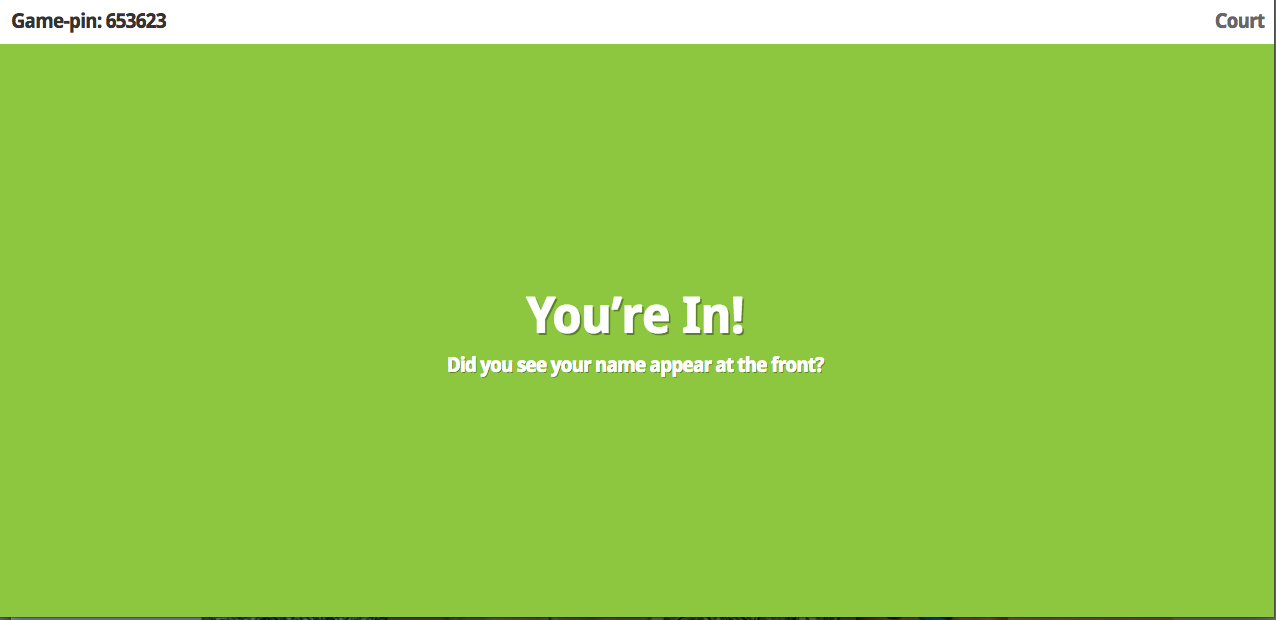

The teacher will see the screen below. As you can see, this shows the number of players (1), allowing the teacher to know when all students are in. Under "Kahoot!" you can see my name (Court), allowing students to search for their name, so they know they are in. 


Now it's time to take the quiz by the teacher clicking "Start Now." The question is only displayed on teacher's screen, making a projector necessary as a visual cue. The number 12 on the left is the timer, allowing students to move through the questions quickly. It would be interesting to learn if the amount of time can be adjusted or eliminated as an option. The "0 Answers" on the right shows how many students have answered. 


Below is what students see on their screen. This makes this program appropriate for lower elementary as well with the visual cue. Students would select their answer. 


After all students have answered the question or time is up, the answers are shown in the form of a graph. The check marks indicate the correct answers. The numbers on the top of each bar indicate how many students chose each particular answer choice. This allows for an instant assessment, allowing the teacher to know how much discussion is needed on the particular question. The Kahoot won't move on until the teacher clicks next, allowing for as much discussion as necessary. 


And the end of the Kahoot, the overall results are shown. It would rank the students by correctness. Depending on the nature of the quiz and the competitiveness of the class, this could be really fun. If this does not appeal to you or the nature of the classroom, then simply stop projecting your teacher screen. It prompts you to move to this screen. In the black rectangle, it allows you to "Download results," allowing you as a teacher to go back and view the results of your class. 


When using public Kahoots!, the program allows you to preview each Kahoot. This allows you to simultaneously see your screen and the students' screens at the same time, while also reviewing the questions. This allows you to go through the public Kahoots quickly and check them before having the students play. 


I foresee Kahoot! being used with any grade level, as the questions can be made to any developmentally appropriate level. I came up with a couple of classroom ideas below.

I would use this in a 2nd grade classroom as a review of the book we have been reading. This will allow me to check for student understanding and test numerous literacy skills including comprehension, vocabulary, predicting, etc. Since the program pauses after each question, this allows me to discuss the correct answer with my students. The results I can download at the end would be useful to know which students need further instruction. 

I would also use this in a 5th grade classroom, allowing the students to create their own Kahoots. This could be used as a review game in a social studies classroom where students will create and take each other’s Kahoots to review the content. Students would have the freedom to create a quiz, a discussion, or a survey, allowing for effective differentiation. An email address is required to create an account. 

I will most definitely be using Kahoot! in my future classroom. I suggest everyone at least gives it a try! What are ways you have used Kahoot! in your classroom? 


Monday, March 9, 2015

Speed Geeking

During our last class we were “Speed Geeking.” This essentially means playing around with different technology resources, identifying the purpose, discovering the benefits and drawbacks of the tool, and pinpointing the appropriate grade to use this tool. We spent no more than five minutes on each tool, hence the name “Speed Geeking.”

As I explored these different resources, I really enjoyed myself. As a pre-service teacher, I can never have too many ideas in my teaching toolbox. With busy schedules, a lack of an abundance of my own personal technology, and the absence of my own classroom, I don’t get as many chances as I would hope to simply play around with technology. It was nice to have time set aside to explore each app and make notes of which tools would be useful in my future classroom.

My favorite tool I explored was “Osmo Letters.” This iPad tool allows students to view a picture, and then use the provided letter tiles to create the word that describes the picture. The program can see the word the student is creating, letting him or her know if it is correct. I liked this tool so much because I kept on seeing more and more potential in this tool in regards to my classroom as an early childhood educator. Students could work on picture identification, spelling, and letter identification. This was a fun and engaging way to get students working on their letters. I most definitely will want this in my future classroom.

I would never use the "PhET Simulation" as it is geared for high schoolers and above, not even close to my future classroom age range. This tool simulated STEM activities. I think it has a place in a classroom due to the neat visual simulation, but students would have to have a plethora of background knowledge in order for it to be successful.

I look forward to the next time we go “Speed Geeking.” This reminded me of the Waukee PLAYdate I went to a few months ago, a morning of playing around with technology and demonstrating at the end.

Friday, February 27, 2015

Digital Classroom Project

There are many considerations that go into designing a digital classroom. By digital classroom, I am meaning preparing my physical classroom for digital learners. I will always love the powerful interactions that come with face-to-face teaching and learning, exactly why I am going into this profession. Feel free to check out my in-depth analysis of designing a digital classroom here!

To me, the most important question to consider when implementing technology: Is the implementation of this technology going to enhance my students' learning? From there, I consider my pedagogical beliefs, the design of my classroom, and the hardware students will use. 

My pedagogical beliefs include my teaching philosophy. Every decision I make is putting my students first. Take a look at my considerations I make when determining technology's place in my classroom: 


That being said, I firmly believe that technology deserves a permanent place within my classroom. Effective technology integration has the ability to reach the students “traditional” education often misses, adapting to these diverse learning styles. Technology can advance student-learning to that next level, empowering students to be lifelong learners by sparking their interests. Technology use also boosts student motivation by enhancing the material being taught. These are all priceless and crucial components to my reasoning behind integrating technology into my classroom. 


From there, I considered the tools that will help meet my pedagogical beliefs. I don't want to say that I considered the bare minimum, but I am also realistic about budgets schools have and know excess technology is not necessary. I decided anything outside of the bare minimum wasn't necessary and was sure not to duplicate on purposes of technology. That helped me narrow down which technology tools were most important. I also considered the many classrooms I have been in and by combining my favorite components, I decided the most necessary tools! As a future early childhood education teacher, I designed my classroom to be developmentally appropriate for preschool through 3rd grade students. 

My Top Technology Tools:
  • Projector mounted to the ceiling, out of the way but easy to use
    • Allows the entire class to have a visual at once, key to this age group’s development
    • Mounted to the ceiling prevents the need of a cart, allowing for seamless functionality
  • Document Camera
    • Another option for the whole class to be able to see a visual
    • Allows for hands-on learning to showcase work (i.e. having a student demonstrate how they solved a math problem using manipulatives for the whole class to see) 
  • 1:1 tablets for each student that stay at school 
    • Appropriate for students’ small hands and limited typing skills as well as easier for this age group to manipulate this size of device 
    • 1:1 allows for seamless integration and differentiating instruction for all children at once
    • Tablets stay at school as they are not necessary for growth at home and are not developmentally appropriate to give this age group this kind of responsibility 
  • Mobile lab of laptops for each grade level
    • Allows more access to computers than a single computer lab shared by the whole school
    • Shared with grade will be plenty of access due to 1:1 tablet integration 

I hope all of these tools are available in my future classroom. To have my technology tools and pedagogical beliefs aline most effectively, it would be useful to have a classroom that physically allows for this to happen. Effective technology implementation, to me, looks like:

  • Tables instead of desks to encourage collaboration
  • Ample electrical outlets
  • A reliable high-speed Internet connection
  • Easy-to-control lighting
  • Access to a digital classroom to access online resources (blog, website, Symbaloo, etc.) 

Feel free to check out my digital classroom project for a more in-depth analysis of my choices!

Tuesday, February 24, 2015

The "Four Cs"

I reflected on the NEA article I read called An Educator’s Guide to the “Four Cs.” Feel free to check it out here!

The “Four Cs”
     -Critical Thinking
     -Communicating
     -Creating
     -Collaborating

To better prepare my students for the challenges of 21st century citizenship, it will be important to integrate the “Four Cs” into the everyday functioning of my classroom. I can do this by being intentional in setting up my classroom, in my teaching style, and the activities I prepare for my students to accomplish. The “Four Cs” should also be embedded in a cross-curricular fashion in order to reach its full potential and purpose. The “Four Cs” should also not function separately but rather be intertwined and used together to help students reach their full potential.

Being intentional about incorporating the “Four Cs” is crucial to its success. To help my students become critical thinkers, I will present opportunities that allow them to reason effectively, use systems thinking and analyzing, make judgments and decisions, and solve problems. The other Cs connect well to critical thinking and should often be used while thinking critically. Likewise, being able to communicate is crucial to being able to collaborate. Communication refers to oral and written articulation as well as listening. Creativity pushes students to their fullest potential and truly makes their minds work. 

All of the “Four Cs” are incorporated intentionally through modeling, creating a classroom environment that pushes for “Four C” thinking, asking questions to push my students to think and act this way, and creating activities that allow my students to put the “Four Cs” to work, so it becomes second nature for them. The “Four Cs” advocate for higher level thinking in all content areas, taking my students’ learning to that next level. Activities that are project-based and problem solving by nature will allow the “Four Cs” to come about naturally.

Collaborating creates more holistic results, and modeling this for our students will encourage them to collaborate effectively with their peers. Working collaboratively with other educators will also improve students’ performance of the “Four Cs” when teacher teams and leaders within the district are behind this movement. Students’ performance will improve when educators are given the resources to help them to embed the “Four Cs” in the curriculum, instruction, professional development, and even assessment. Using technology through social media, professional learning networks, etc. to see how other educators are successfully implementing the “Four Cs” is also a wonderful collaboration tool.

Technology presents itself as a wonderful opportunity to put the “Four Cs” into action, as each of these Cs often come about when technology is used effectively. Students can think critically while coding, can communicate through social media, can collaborate through project-based tools, and can create using creator apps. These are just a few examples off the top of my head while the possibilities are endless. I plan to be a “Four Cs” educator.

Tuesday, February 3, 2015

SAMR Evaluation

(Jamie Fath lecture, 2015) 

“Teaching above the line” is often used when discussing SAMR. I think this is an important concept because it pushes teachers to take technology use to that next level. Just as the image shows, teaching above the line transforms learning with the use of the technology tool. This model helps support teachers as they design and integrate the use of the technology. When teaching above the line, student engagement becomes more of the focus, pushing students to "transform" their learning. In my opinion, this is exactly why technology should exist and reasons why integration can help take student learning to that next level.

Depending on the age group, SAMR is a good model for teachers to use when discussing technology use with students. As a future Early Childhood Education teacher, I do not foresee myself using this terminology with my students, as it is nowhere near developmentally appropriate. Even when finding words that would make sense to them, I have a hard time seeing this as a concept that even really needs to be discussed. Perhaps I should challenge myself to incorporate this into my classroom to take my students' technology understanding to that next level. When it comes to older students, this could be incredibly beneficial, as they would have a greater understanding of the purposes of technology and its different uses.

SAMR relates to Grounded Technology Integration as I would say each of the five steps of Grounded Technology Integration consider SAMR.

The five steps of Grounded Technology Integration:
1.     Choose learning goals.
2.     Make pedagogical decisions.
3.     Select activity types to combine.
4.     Select assessment strategies.
5.     Select tools/resources. 
(Harris & Hofer, 2009)

SAMR really focuses on Step 5, select tools and resources, but it includes steps 1-4 in deciding how beneficial the tool is and what purpose it is serving. 

I evaluated the Arizona Technology Integration Matrix, also known as TIM. This matrix considers the level of technology integration into the curriculum, which I would say is where SAMR falls, with characteristics of the learning environment. SAMR has more of a technology-driven feel to it with the underlying emphasis that when "teaching above the line," student engagement and learning will be increase. 

I like how TIM considers the characteristics of a learning environment when considering technology integration. I also appreciate the resources that come along with it. It is a lot more extensive, so if I lacked knowledge or experience with technology, it would be a great resource as a teacher. I appreciate how SAMR is short and to the point. It serves as a quick self-evaluation of my integration of technology use. That being said, there are a few gray areas that come along with SAMR while TIM is a matrix of 25 cells, making it more cut and dry.

These both relate back to TPACK as technology will never reach its full potential if content knowledge and pedagogy are not considered first and then successfully intertwined together with technology. To me, SAMR and TIM are useless without considering TPACK when integrating technology. TIM and SAMR are useful resources when it comes to integrated technology as long as content knowledge and pedagogy are always considered when choosing tools.

Articles and websites contributing to my reflection and opinions: